

 Film Processing, Scanning, Printing
 35mm Processing Services
 C41 Colour Process 35mm
 B&W Processing Services 35mm
 E6 Colour Slide Film Services
 ECN2 Film Developing 35mm
 35mm Half Frame etc
 APS Processing
 Xpan & Pano
 Medium Format Processing Services
 Processing Services 110 & 16mm
 Professional FIlm Scanning
 Pro-Lab Film Scanning
 Ultra HD Fluid Mount Scans
 Drum Scanning
 Sheet Film & Large Format Serivces
 Film Sales
 Nik & Trick’s Unusual Films
 Unusual B&W Films
 Unusual Colour Films
 Kodak Film
 Shanghai & Lucky Films
 Ilford Fiilms
 Optik Oldschool Films
 Rollei Films
 ADOX Films
 Flic, Berger & Others
 Foma Films
 Hand Spooled Films
 Fuji Films
 Cinestill Products
 Films Washi
 Lomo FIlms
 35mm Films
 Large Format Sheet Films
 Single use Camera
 Darkroom Chemistry & Hardware
 N&T Distinct Developers
 Eco Friendlier Photo Chemistry
 Colour Chemistry
 B&W Film Developers
 Ornano Foto Chemistry
 BelliniFoto Merchandise
 Adox Chemistry
 Jobo Chemistry
 Ilford Chemistry
 Soviet Chemistry
 Shanghai RC Photo Papers
 Paterson Darkroom
 Measures & Jugs
 Chemical Storage
 Thermometers & Timers
 Safelights, Washing, Drying
 Archiving: Negs, Slides, Prints
 BelliniFoto Merchandise!
 Film Scanning Accessories
 Cameras, Accessories, Goodies!
 Gossen Light Meters
 Camera Light Seals Kits
 Film Camera Batteries
 Camera Repair Parts
 T-Shirts & Appareil
 Enamel Pins & Badges
 Caps & Hats!
 Analogue Keyrings
 Nik & Trick Mugs
 Funky Stuff!
 USB Drives, SD Cards
 New Books
 SilvergrainClassics Magazine
 Photographs & Prints for Sale
 Film Processing Machines
 AGO Film Processor
 Jobo Processors
 Go Large Format!
 Chamonix Cameras
 Shen Hao Cameras
 Munewca Value!
 Gibellini Cameras
 Fasquel Cameras
 Film & Wet Plate Holders
 Large Format Films
 Used Large Format
 Used LF Lenses
 Lens Boards
 Large Format Accessories
 Camera Bellows
 Special Offers!
 Nik & Trick Vouchers
 NEW! N&T Trade Sales Area
 Trade Login & Registration
 Trade & Wholesale Films
 Colour Chemistry for Resale
 Paper Products for Resale
Nik & Trick's Analogue Photography Blogs
Resolution Revelation!
Mar
A Cheeky but Impossible to Write Feature About Film Scanning (without upsetting someone!) 😀
Resolution Revelation! Is our blog or ramble rather that was initiated with the intention of offering up tables of figures to provide numbers about scanned film files. The very figures that when provided do more to baffle people than to provide meaningful dataq! Those numbers will be included later, but it’s ended up going a tad further so, you’re either going to love it or to not like it very much at all!
“Why so impossible to write, didn’t you just do that here?”
Ah yes, and be sure of some stuff: This is NOT a tutorial nor am I here to tread on any toes BUT: Don’t you understand the risks I’m taking here? Some people might end up incandescent at my words, my experience may conflict with oh so many other online offerings, I might upset an influencer even! Who am I to be so impertinent! 😀
Others will come to correct, re-eductate or to lecture me most likely, let’s hope not, because doing so cannot alter the experiences from which these words are drawn and I’ll ignore that stuff anyway so let’s get on with it!
Question:
What happens you see, is that we semi-often get hit with the question: “What resolution are your scans” which begs a numerical answer that we have always avoided addressing since it is pretty much a bit like asking the length of a bit of string. Or, it comes from by virtue of attempting to quantify an answer in keeping with something seen online and as such, in practical terms may as well be presented as “How much do your scans weigh?”
I said we have avoided giving the numerical and that is until now.
Given that we’ve been scanning film for professional reasons since around 2008, so I can categorically tell you now this: the learning curve never stops! The internet world is packed to the rafters with experts on this subject, for us, even after all these years we can’t feel that we can claim to be “expert” but we sure can claim to have experience that very a high percentage of self proclaimed experts don’t have.
It’s not a wild claim. We’ve used, over the years, a whole range of hardware from the clever little Pakon F135 (aka “The Potty!”) through various Nikons, Konica Minolta, Epson V Series and GT-15000, I think even Canon at one point, and the commercial scanners like Fuji Frontier, and so on, right now, most people know our main weapon is the amazing Noritsu HS-1800 and we’re about to get stuck into the new to us Howtek Drum scanner.
So, yes it’s surely fair to say having had that lot endows us with a little experience in scanning many film formats and processes from disk films right up to 10×8 and I’m going to share a little of that with you now which, isn’t easy to convey and will hopefully leave you more confused than before. In fact, if I get it right, you’ll wish you hadn’t asked! 😀
So just how good does a scan need to be?
The answer to that is incredibly simple: Good enough.
Think about it; what do people use scans for exactly? That prompts a variety of responses does it not?
For the sake of argument for this part let’s quantify HS-1800 scans on an imaginary scale of 1 to 10 and use that as a dipstick?
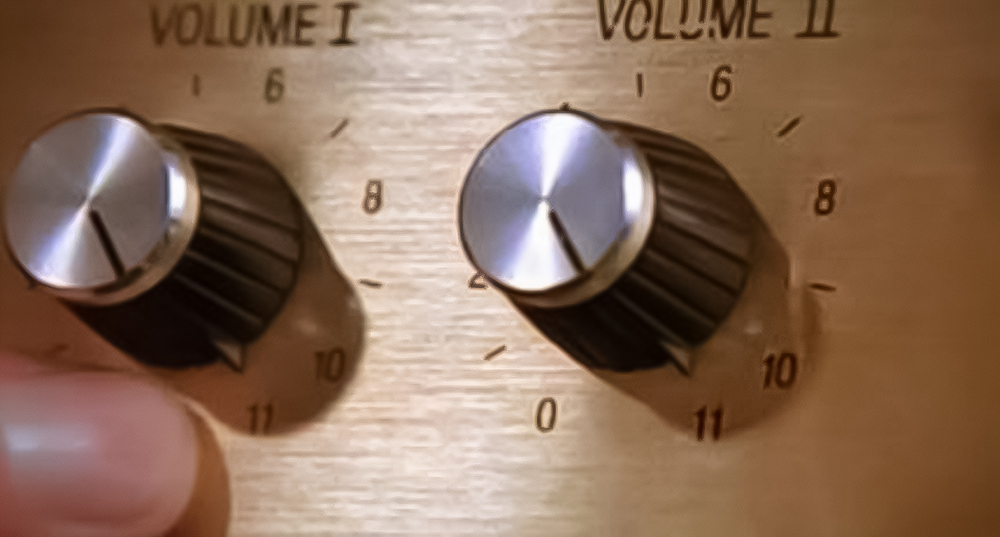
(click the image there to get the joke if you don’t already know it!)
We get a lot of customers who bring single use cameras to us for example. Many just want a pack of 6×4 prints, which we do to a high standard, just like back in the day, few people actually know that this is what most commercial scanners were producing in order for prints to be made, either wet or drylab as we do now. I’ll add the spec to the chart but just for info. Noritsu scale: 1
At the other end of the scale a super good scan may be required in order to make large exhibition prints so the spec and the time involved increases accordingly as will the fee. Noritsu scale: 8 a level that produces a quadruple overkill 175mb Tiff per frame of 35mm. Completely unnecessary in daily life!
In the middle, well let’s go with the scans we offer as part of our well balance, great value package deals where prints may be required sometimes (not often) and can be made up to A3 or larger even, that’s how good they are. Let’s say, Noritsu Scale: 3 to 5
So is that explanation enough? Nope, you want me to go further! 😉
X Factors
Okay, so let’s consider some of the factors that a scan comprises of: Firstly the resolution which is that question isn’t it? Resolution is the measurement in pixels of the hight and width of the image but what does it tell you about quality?
Not much eh? That pixel count is all well and good but it tells us nothing about definition which is far more important right? We’ll come back to this later.
So now you have the weight of a scan 😀
Next up, DPI or Dots Per Inch which quantifies the number of pixels per inch obviously. This is an area that is fun to watch people get to grips with! Most people when they get their first home scanner wang the DPI up as far as it will go, effectively directly to Number 11 on the dial, and think that’s going to give them the best scans,
So already they forgot the weight or resolution and trod on the first loud pedal regardless and generate humongous huge files that their computer struggles to deal with and offers no real advantage over much much smaller files made with consideration.
DPI versus Resolution determines that forgotten factor easily lost in a virtual digital environment: Physical size, the actual print dimensions!
When we tell folk that the HS-1800 like most commercial scanners, operate using just 72dpi the reaction is one of horror on occasion but wait, take a looky here:


As you can see, on the left this scan with a resolution fixed at 3578×2397 at 72dpi has a virual physical size of 126cm x 85cm but at 300dpi presents a size of 30cm x 20cm without altering that resolution it also leaves the file size almost unchanged.
File size of course is the other main factor and the one that affects us all, it’s that major factor that your PC has to deal with either with RAM, Processing Power but always with storage.
So taking these matters on board, now consider therefore that we have here just defined another “magic triangle”
There are more factors. The only ones I’m going to deal with here are ones we use now…the hardware and the software and I am not going to go outside of that or I’ll be involved in a pointless fight!
Finally finally…one of the biggest factors of the whole bunch is how well the film has been shot, lighting conditions, has it been exposed well or has it been over / under exposure? DOF and so on all play a role. So, now we have a brain full right? So let’s move on 😀
Getting it Done
What follows will be honest and truthful and by absolutely no means intended to derivatise or to draw comparisons with how people scan their own films, and that highlights one other vital factor: Time.
In this business we have a lot to do but to our keep our lovely customers happy we are expected to deliver quality and to deliver it ASAP if not sooner!
So there’s a workflow balance, we do not have the luxury of time that the home user has, we have to scan for the best balanced image in terms of colour balance and tonality. We have to be provide happiness so we quality check every film, correct any obvious minor issues but are also expected to not interpret or to twiddle with people’s photos. Or are we?
Let’s give you a breather and take a quick look at workflow!
What I shall do next is unconsciously address some of the unexperienced assumptions that the odd expert or the followers of, has brought to our door over the years.
First of all though, I just want to be sure that the message is to anyone who uses a digital camera to digitise their films, that is fine by me. But come on please stop calling it “(DSLR) Scanning” when what is really happening is in fact re-photographing.
Which is fine and dandy, but from where I stand it all looks like a bit of a polava to me (sorry folks!) and then all that post processing that surely must be required, “Ain’t nobody got time for that” not in this environment! 😀
For me though, when I see the money people spend on the stuff to do it with what can be some proper Heath Robinson set ups, when for less money you could get an Epson Perfection or such.

Idea! Could it not be cheaper to get one of those slide copying things from back in the day that attached to the camera or bellows extension? Just kidding! (as an afterthought, never seen anyone even attempt that yet)
I’d guess many have and enjoyed doing so 🙂
It’s a procedure that is probably responsible for the other question we get from people conducting studies with “influencers” and the ilk. which I have to say, from our perspective, is the most daft of the lot: ” What software do you use to invert your images?” and is one that requires us to educate the difference between re-photographing and actual film scanning where inversion is done in firmware.
Re-photographing being lens based can often result in highlight haloes and chromatic abherrations that you don’t find with film scanners.
Expert: “I don’t like flatbed scanners”
It’s okay, we can still be friends!! However, we say and firmly stand by this: the best scanner for the serious user at home are the Epson Pefection V700 / V750 Photo which use better less fiddly film holders and offer more workflow than the later V800s. The cheaper Perfection V600 Photo is also a great option, we see many a great result made with those.
Just as a quick aside here, pre-empting what will later be said about high-end drum scanners, the actual best high end scanner was a flat bed. Yep, this is truly the case the legendary Screen Cezanne Elite which can top most drum scanners. However, there are caveats. None about it’s unprecedented capabilities but…firstly, try to find one, these things are rare and seldom come up for sale.
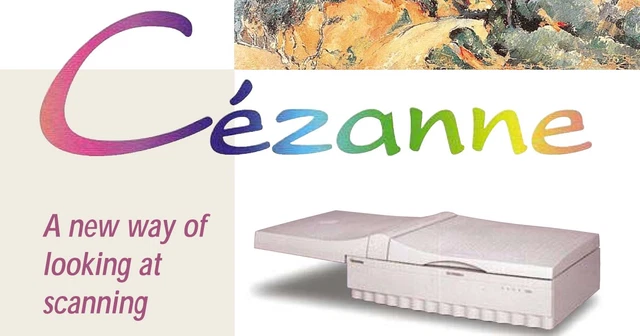
Thus it comes down to the supply v. demand thing: Price! Not least of concerns is that they’re big, about the size of an exterior door laid flat. Further, great as they are, they need to run on an older Mac using OS9 or the like or PC via SCSI, their dedicated software can be hard to source, I’m not sure about compatibility with other third party offerings. Now just for your pleasure and because I’m a kind person and like to be informative click the pic to see the original brochure (PDF)
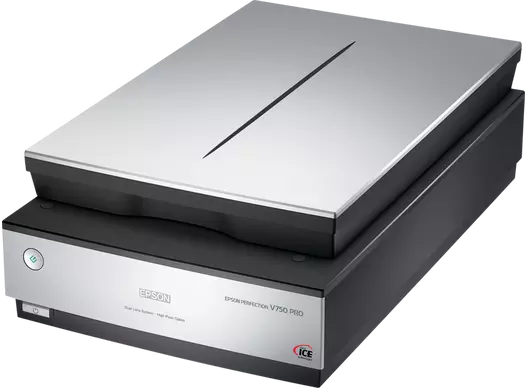
To quantify how good the 700s are, let me just tell you that we have three of them, one’s been going steadily since 2010 even!
We did get one cheap once and wore it out, we had another that we upgraded selling to original to Tom at Only Analogue who is absolutely besotted with it and the capabilities he now has.
Be very sure that when set up right they produce scans that we, and many many clients and other owners have been delighted with. We frequently use them to deal with LF sheet films, disk films, 110 & 16mm, glass plates and anything that fits on the platter a great asset for things that the HS-1800 cannot do. Not forgetting their talent for scanning reflective media too…our go to for scanning photographic prints where a negative is not available.
Easy to use, no need IMHO for anything but the Epson driver, though many like to use Vuescan and Silverfast where the multi pass facility can do stunning things.
Should be able to acquire a good used one for less than the cost of a new AF Macro lens. We are happy to help out with some straightforward, easy and effective set ups for you should you take the good advice!
Nik & Trick Tip for Mac users: Apple and Epson are not good friends. Not a problem for many but with OS being such a moving target any problems can be disposed of by just getting a cheap old PC, a small one even or a micro to save space, say fifty quid's worth, then set yourself up a little scanning station come work area. Nice.
Easy to use, no need IMHO for anything but the Epson driver, though many like to use Vuescan and Silverfast where the multi pass facility can do stunning things.
Should be able to acquire a good used one for less than the cost of a good AF Macro lens. We are happy to help out with some straightforward, easy and effective set ups for you should you take the good advice!
Let’s take a look at the driver and the options and some settings that are offered within EpsonScan that assist making great scans and cut down on time consuming post processing…


As you can see the flexibility is superb. Tone control across shades and the three colours, dust removal and Digital Ice, focus masking, and so on but also the ability to scan to resolution, adjusted by the aforementioned Dpi, Pixel count, physical dimension or scaling by percentage.
The settings show about we use to make great scans in fast time as part of our package deals….for that special photograph we / you can go back and make as heavy a scan as you like, silly big scans should you decide to. The world is your oyster!
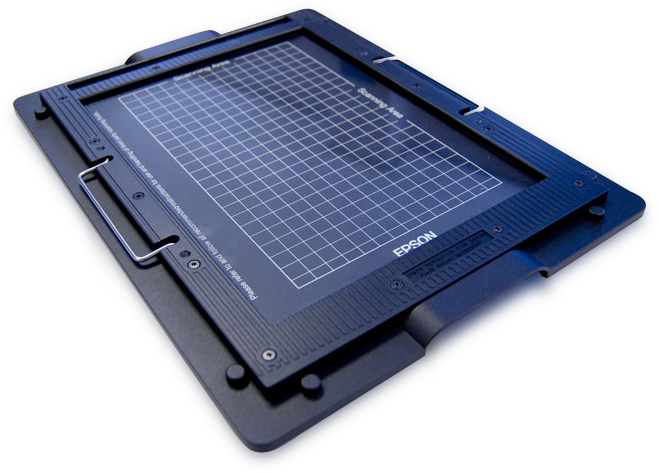
To go that bit further and offer our customers more, we have also bought the additional bit of kit and hope to soon be offering the option of having films wet mounted ready for scanning which can increase the already amazing definition to a new level.
The image to the right here comes courtesy of Aztek and Kami Fluids.
This targeted test scan illustrates very well the advantages in terms of sharpness and definition that can be gained via wet mounting negatives for scanning using the above system and more so when drum scanning.
FYI the left hand image via a V750 is already incredibly sharp, this test demonstrates the fact that wet mounting takes this fantastic scanner’s impressive capabilites to the next level

Options: We love options!
There are plenty of other dedicated no compromise, soul purpose in life film scanners around too, new from Plustek, and some of the best, from Nikon, Konica Minolta and more…as demand grows, prices increase.
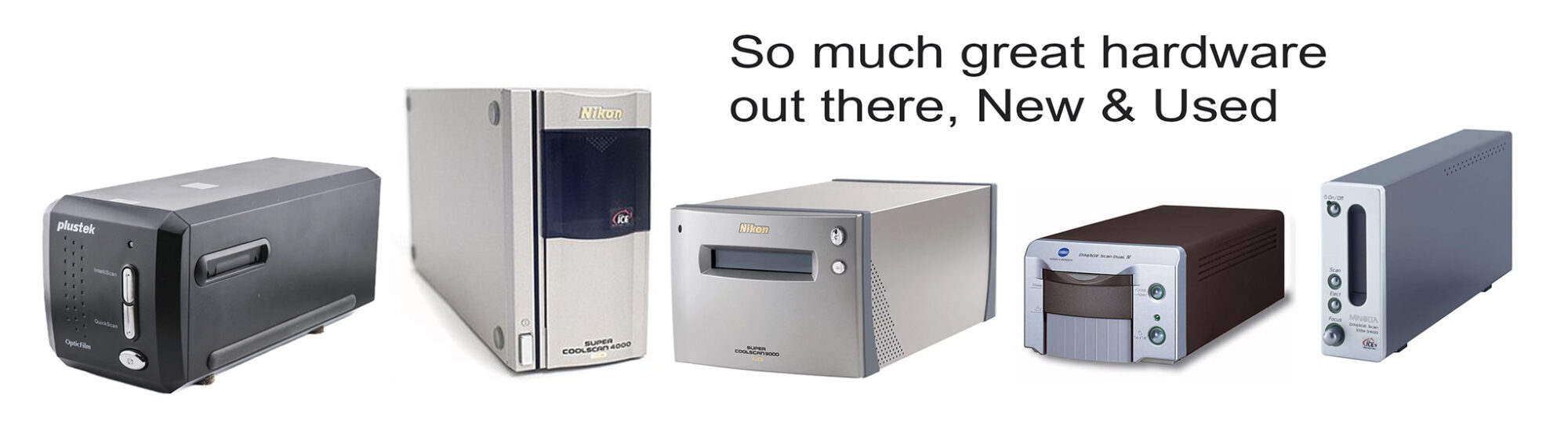
Sidenote: If you went for one of the brilliant Nikon ED Film Scanners or the overlooked Konica Minolta series such as the superb EliteScan, to avoid purchasing third part software, we can help you get them running on Windows 10 or 11 using their native drivers which are very comprehensive.
Now, What was the First Question Again? aka “What do your (package deal) scans weigh?”
Sorry about that, I seem to have got sidetracked there! 😀
Okay, so our package deals are, as previously stated, considered and well balanced. We know very well that they offer great value and are almost unanimously conducted with our heavenly Noritsu HS-1800 (excepting sheet films)
These scans are focussed on the majority of films that come in, the core films being of course 35mm and 120 where formats up to 6x12cm are catered for. On the Noritsu scale these are a 3 to a 5 not base level. Takes about the same amount of time so you get a little bit more!
Quality is as good as it gets to the point that we have, in the past, been asked by one or two customers to turn off sharpening. A bit of a shock to them then to discover that yes, their camera/lens is THAT good…we never turn that option on, that I hope, sums up what I said previously about the all important definition!
You’ve seen the video now let’s reveal a bit more: Within the EZ Share software are so many options and facilities that I’m not going to go beyond giving you any more than a quick glimpse of. They may not mean anything to you anyway but I trust they’ll give you an idea of what happens behind the scenes:


As you can see, almost none of these, the same applies to most scanning software, can be found on the back of a digital camera. You should note that the vital sizing options are something few people know about, you’d have to have experience of one of these to have any clue about these.
Okay yes, as we already said, the HS-1800 uses a CCD but please don’t think that makes for any even remote similarity between the two. Anyone believing in that is quite frankly labouring under a misconception. A lot comes down to film handling, firmware, and algorithms that have just one sole purpose in life (no blink detection here :D) and stuff that I don’t even understand!
Initially the HS-1800 feeds the film right into the carrier and presents photos as thumbnails in a pre-scan screen. Adjustments are literally done on the fly whilst the film is fed back out as it’s being scanned proper: this is where the time element comes in. The actual scanning is fast up Noritsu scale: 6 but obviously workflow slows as the wick is turned up.
That’s not the end. Once scanning is completed the software does it’s magic and makes files ready to print, we harvest those files for you.
One particular talent this bit of kit excels at are slides and positive films. When it comes to the nightmare very underexposed shots this scanner out excels everything else. Horrible transparencies can be made more than good, this talent amazes me every time. It’s flexibility is just brilliant!
Nik & Trick Note: Commercial Scanners make Jpg files that are compressed, file sizes can more than double when decompressed by using editing software to make a few adjustments. HS-1800 is also equipped to generate 16bit Tiff, BMP (which is a Tiff that has no embedded data such as EXIF data) and RAW files.

It can be, and often is compared to the beautiful Fuji Frontier SP3000 and yes, I’d like another one to go with the Noritsu but those now, refurbished from our Genius Fuji Engineer, which would be the only way I’d buy one and will set you back in excess of £10,000 a few grand less than a HS-1800.
We upgraded from the Fuji SP3000 during Covid, the main reason for that is down to the original question in a way as folk were demanding bigger heavier scans, having said that, we knew that the HS-1800 truly is the pinnacle of professional kit and we immediately found that it offers fuller scans over the Fuji but is also very much easier to use and maintain. So that was a very good call 😉
So sharp are the scans from our Noritsu, we occasionally get asked to turn it’s sharpening off. Our response is to inform that we’ve genuinely never even used that function; “…your lens really is that good!”
Now though, by way of response to the original question is a table of numbers for you. Note that medium format gains the definition it needs using lower numbers. Don’t ask me to explain!

The HS-1800 uses a CCD for making scans, a fact that all too often leads some of the more vocal experts to advocate the mistaken presumption that this means they work like a camera. Oh dear, what a silly thing to believe!
We’ve had guys in the past argue that until they’re blue in the face which is kinda sad because it means that they have no experience of just how incredibly powerful commercial scanners really are. We’ve been quoted all sorts of numbers and resolutions but the fact remains that resolution is no gauge of definition and that is where these scanner excel.
Note the procedure from the above pictures, Pre-Scan > Scan and then > Process which is where the action and algorithms do their thing, and incredible thing. Nothing at all like re-photographing.
Afraid to say that this CCD presumption has also been made by users of our next subject:
High End Drum Scanners
Historically and in practice even to this day, these produce oh, there’s no right word for it…the best amazing, mind blowing, bonkers crazy super high definition scans. They use a laser technology, not a CCD which gives SOME owners the feeling of superiority but that too is a falsehood but permit me to quote Evan Lippincott, CEO of Aztek Inc. :
“Yes, the drum scanner is the best film scanning device period, no matter how you slice it. An analogue film digitizer microscope in essence. Long live film!”
No wonder owners get a bit precious over this territory I guess we should say
Recently however, we turned the wick up on the Noritsu to make a scan to compare to that from a drum scanner that a friend has.
Get this: the drum scanner wins, no great surprise there but it’s not an overwhelmingly compelling victory! The HS-1800 even on Noritsu Scale of 8 was snapping at it’s heels look:


On the left, drum scanned at 4000dpi to a resolution of 11326x9832px making a 640mb file of physical 2.87×2.42 inches inches (that will at printing dpi go as big as a Transit van easily)…
Note the close up detail of each of these the HS-1800 making a 202mb file scaled later to 300dpi at 21×18 inches whilst keeping it’s original resolution of 6450x5490px .
Not bad is it and yes, that did put a couple of noses out of joint never mind that and get this; interestingly, had Photoshop been prepared to use the new AI Upscale feature on a file larger than 56mb it indicates that it would give a resolution slightly larger than the drum scan!
How detail would be affected, who knows but look at them, the sharpness, definition and the clarity of each is just beautiful.
FYI that’s the great Roy Orbison caught by my father at Lympne International Airport in March 1965 using a Mamyia Press 23 on 6×7 back??
I won’t give you access to the actual scans here because they’re pretty huge and I take care of my Copyright!!
The Scan Ultimatum?
We’re still nervous as I author this but yes we do have a drum scanner. Two in fact, but we’re just working on getting one up of the pair and running for now.
In March 2025 before the issues that dogged us all that year began, we drove 11 hours out to central Germany to collect our purchase of a brace of Howtek Scanmaster 4500 and more hours back with a neat flying visit to our lovely friends at Jobo.
Once upon a time these were the territory of conglomerates, ours would have cost, according to one receipt from 1996, some $60,000. They were of that ilk.
Sadly due to circumstances we’d rather have been without, the time to really get stuck into it has as yet been denied to us but, we have built a PC especially, had a Zoom with the makers at Aztek and bought their new software however, until we’ve learned a little about it there’s little to report at this time.
As of this week (20th Feb) we now have the scanner talking to the SCSI card talking to Windows 10 and all talking to Aztek DPL 8.1
So now we can begin to learn…and part of the learning involves how to wet mount films, a procedure that makes one hell of a difference (dry mounting sounds so wrong :D) more so when dealing with higher resolving power.
Click the photo there for a closer look

So clearly, we’re not ready yet just for now so I’ll just throw in some hurried test images we did whilst in Germany just to whet your appetite!


Full size 10×8 transparency scanned dry the zoomed in detail is on the right image which resolves an image area roughly equal to the size of a frame of 110 or 16mm film. Quite incredible so, I think we can say the capabilities here are Noritsu Scale: 11 (maybe more) 😉
Once we’re happy to open this up to the world there will be some special trial offers. Next question will be this one: “How MUCH!!”
Okay thus far, looking around at the offerings by others already offering such a service, we see a wide spectrum of varying fees but let’s say as a glimpsed average for a frame of 35mm you’d be looking at £19.00 or more by way of example. Please feel free to research pricing too if you would!
Conclusions?
To be honest, whether this has helped or hindered. I think that’s your call…please don’t judge me too harshly! 😀
This has not been about telling anyone how to go about digitising films. If it’s a new thing for you then our advice is there whenever requested of course. Everything here is straight up genuine, honest and factual. I don’t think anything said is earth shatteringly important nor will it alter much apart from adding to the confusion.
Bottom line is that so much is relative and subjective when it comes to the end result so this post may be subject to more edits yet!
However, I extend my thoughts prayers and opinions, some carrying much potential for interpretation and misinterpretation. Adding to that there is an overwhelming amount of stuff out there on everything mentioned above and more blurb that one person and his/her family, friends, colleagues and pets could ever digest in a lifetime!
I guess that I’m adding to it here but am really trying not to get involved 😀 but this for me is about dropping stuff that, should anything here help arm folk with information that prompts more considered approaches to making scans then that will do me just nice.
Thanks for listening and be cool!


An interesting and wonderfully detailed blog Richard. I can only agree with everything you have said. Having wet scanned my 35mm and medium format negatives on an Epson VP750 for over 10 years I am always delighted with the result, if not the actual photograph! For some reason, I have always scanned at 3200dpi but I really see no reason not to drop down to 2400. I use Vuescan on a Linux machine and let it do a multi-pass scan but little else. So, well done and thank you.
Thanks for that, much appreciated as writing one like this, honestly, can be a tigger to some!
For you V750, I’ve just added some screenshots that show how we set up to make excellent basic scans, saving time and permitting the drilling down that that special shot you may want to scan to a the highest quality.
Should have had those in there at the beginning. Doh! 😀
Hello Richard, thanks for the great article. I got a v700 back in 2010 or so for large format, always got great results. Now I’m trying to scan 35mm film and getting not so great scans, especially because they are soft. The holders are maybe to blame. Are you aware if aftermarket holders are available for the v700 ? Thanks
Thanks for coming to us, as you’re seeing here too there’s always something to learn about scanning!
V700 / V750 and the 800 series are the best scanner for the home user by far and for pro use too, we have three of them!
The holders for the 700 series are not your issue here, in fact, many 800 sereies owners come back to these as they are so much better in practical terms than the later ones.
AS you see from the screenshots posted, that’s generally how we prepared 35mm scans. It’s better to not try to get it right in the driver but to scane for detail across the tonal range ie no blown highs or lows. That harvests all the infor you need to perfect your photo with whatever editing software you favour.
Most of the time you’ll get great scans anyway but this suggestion is particularly handy with awkwardly exposed or badly developed films. There are adtermarket holders, they’re good but a pain to use and slow down workflow too much IMHO, they also cost. Same applies to third party software, the Epson is perfectly good for most needs, it’s as much about evolving you own procedures as anything else 😉
I must have been spending too much time reading what people in groups, forums and YouTube and I regret now having put so much faith in some of them.
This blog post has made more sense to me than any of the wannabes whose knowlege is actually miniscule compared to this obvious professional insight.
It clears up a so many questions I had, mainly ones that have been unanswered everywhere else. So what if you upset one anyone posting rubbish I say.
Now though, I’m ditching the camera for digitising and will be off out to acquire something proper and will be doing so with gratitude, it just makes so much more sense.
Well done, experience prevails!